Give it a spot.
Put your branded sticker or stand at the counter, where customers pay.
Tap to collect · Stickers & stands
Put a little reason to return right at your till. Your customer taps their phone, collects a stamp and gets closer to their next reward.
Works on iPhone and Android. Loyalty software in every plan.

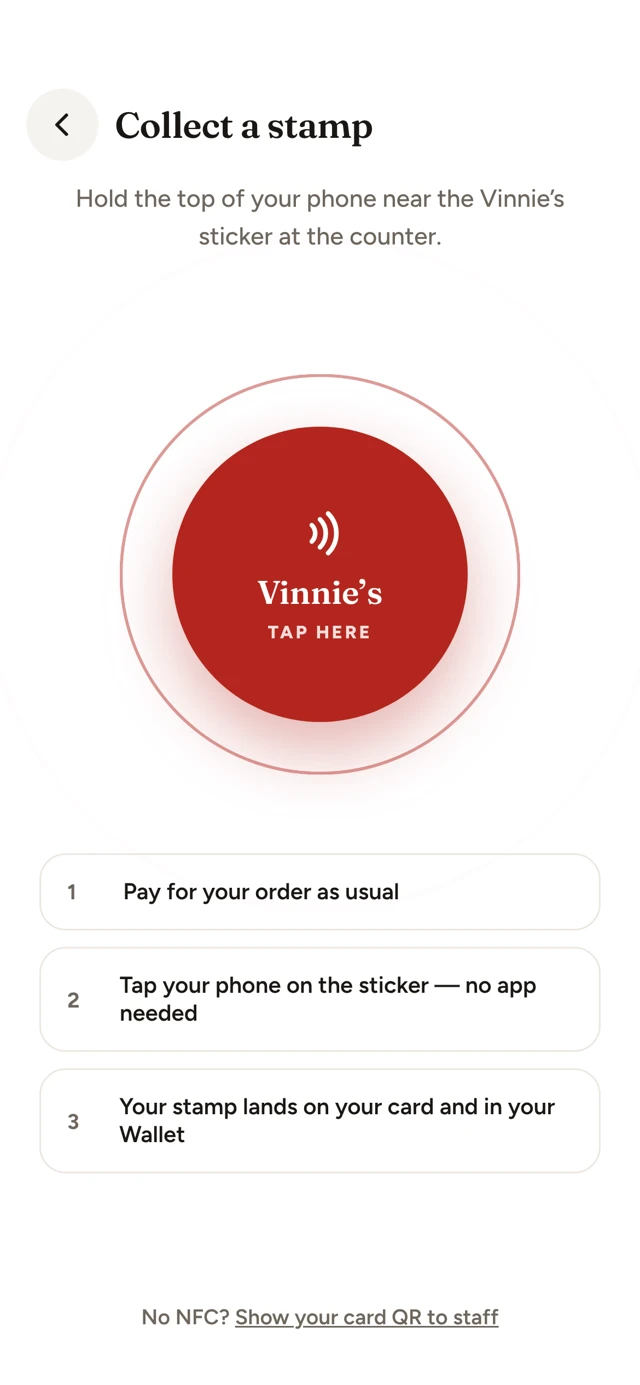
No paper card to find. No rubber stamp to copy. You choose the reward, and Kelmo keeps the card with the customer.
Put your branded sticker or stand at the counter, where customers pay.
After paying, the customer holds their phone near the sticker. Android reads it straight away; iPhone opens the scan sheet.
It joins the card in your app. Without the app, the sticker opens your website and offers the app.
When the card is full, they get the free item. You set the reward: buy 9 pizzas and the 10th is free, for instance.
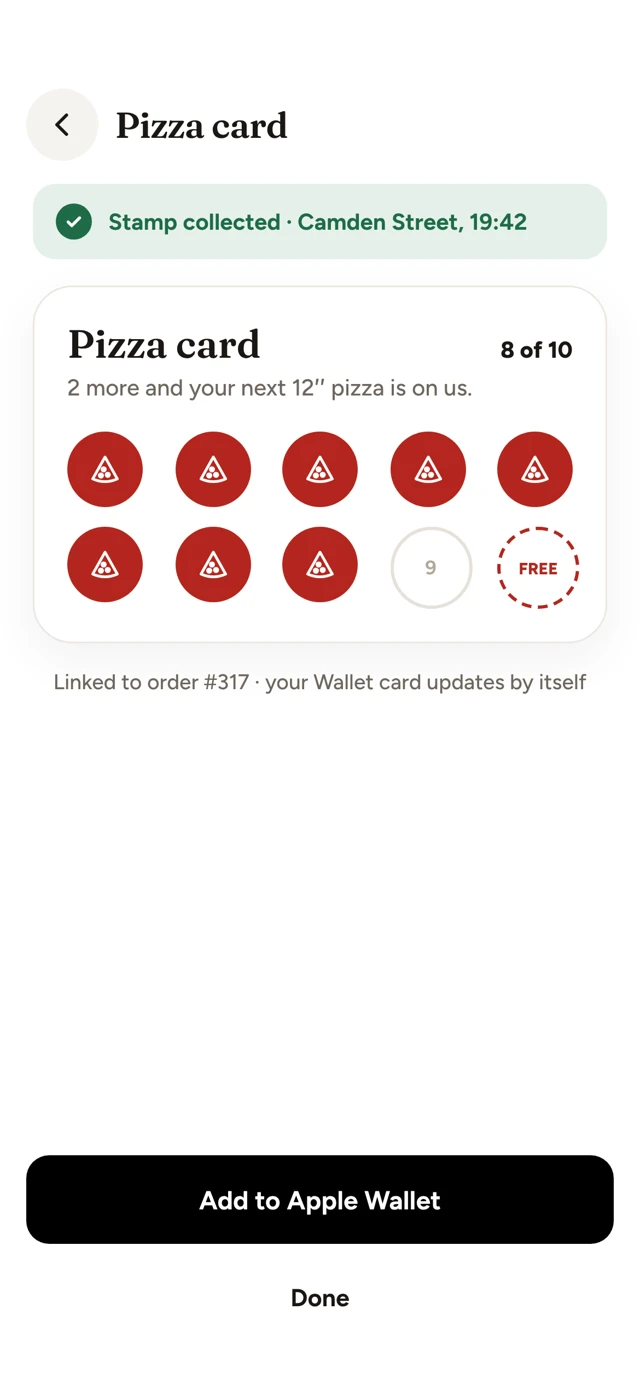
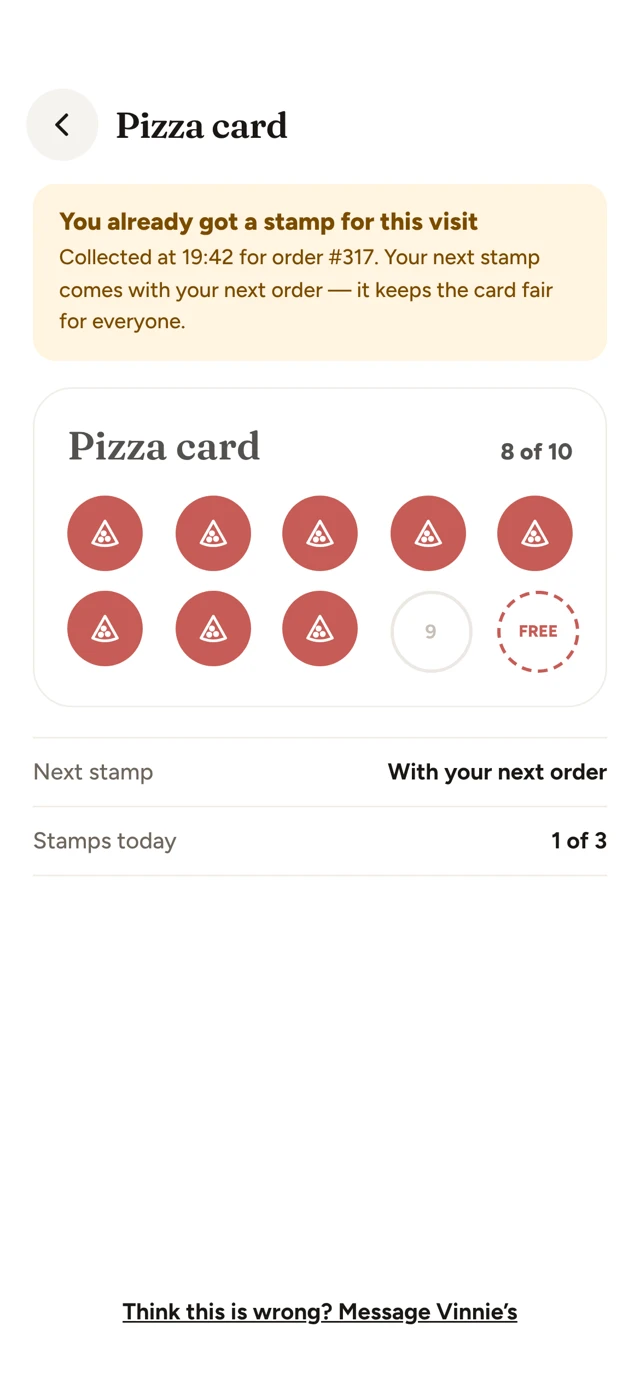
The card follows the customer’s account. Stamps also show on their Apple or Google Wallet card.
Visit limits and optional shop checks make the reward fairer than a stamp on paper.
Keep visits connected to the customer, so you can see who keeps coming back.
A tap opens your app, or your website with a way to get the app.
Anti-cheat, built in
You choose the rules. Kelmo keeps track of the taps and shows you anything that needs a look.
See your dashboard controls ↓The default gap is 4 hours, with a daily limit of 3 stamps. Set the limits for your business.
Choose app-only collection and a shop check within 150 m. Android fake-location apps are refused.
See taps per sticker and unusual activity, such as repeated limit hits or a sticker that may have been copied.
Lost, broken or worried about a copy? Disable that sticker in your dashboard and order a replacement.
Your logo. NFC inside. A QR backup on the front of every sticker and stand.
3 round stickers · 5 cm
Three branded stickers with NFC inside and a QR code on the front.
Order pack ↗Acrylic · Your logo
A branded acrylic stand for the till, with NFC inside and a QR backup.
Order stand ↗10 smaller stickers
For tables or a second counter. NFC and QR, printed with your logo.
Order pack ↗One counter stand included with Growth, Multi-site or any yearly plan.
Ireland delivery: €5. Free on hardware orders over €50. All prices exclude VAT.
Order by email. Send the team your restaurant name, logo and delivery details to get started.
Buy a blank NTAG213 sticker and use a free NFC-writing app. The blank sticker is your own purchase; there is no Kelmo setup charge for writing the link.
For the owner
Go to Dashboard → Customers & loyalty → Tap to collect. It is off by default; switch it on when you are ready.
Your customers keep their stamps with their accounts, even when you replace the hardware.
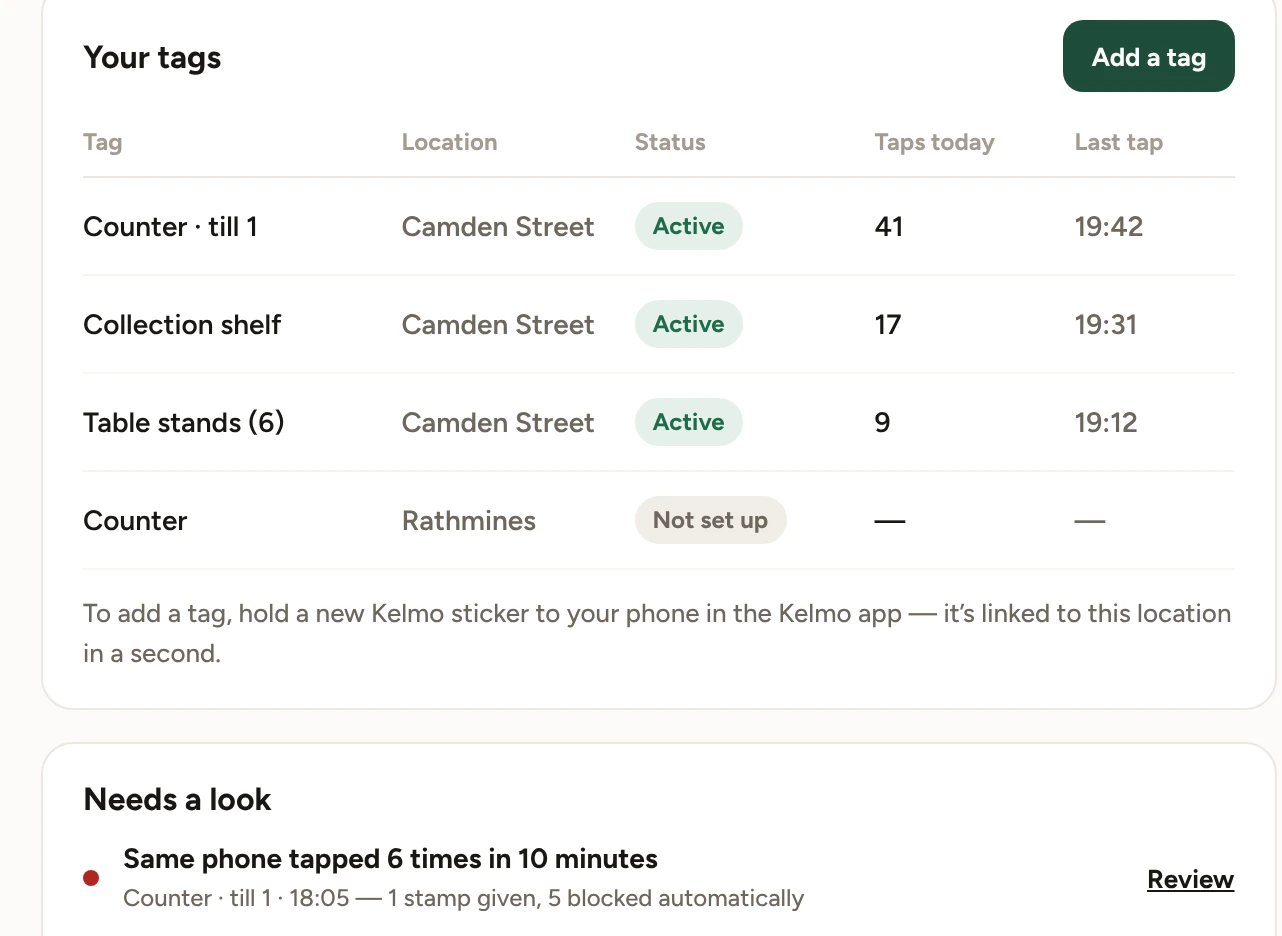
No. Without the app, the sticker opens your website and offers the app. You can choose app-only collection, so the 150 m shop check applies.
They scan the QR code on the same sticker or stand.
Basic stickers are not copy-proof. With app-only collection and the shop check switched on, the customer still needs to be at your shop. You can switch any sticker off. Copy-proof secure stickers are coming later.
Tap-to-collect loyalty software works on every plan, with no extra monthly charge. Stickers and stands are one-off purchases. One counter stand is included with Growth, Multi-site or any yearly plan.
Years indoors. They need no battery and no charging.
Switch it off in the dashboard and order a replacement. The stamps stay with your customers’ accounts.
Give every good visit a reason to become the next one.
Book a demo ↗